AI TOOL / #06965
AudiblDoc – Text to Speech
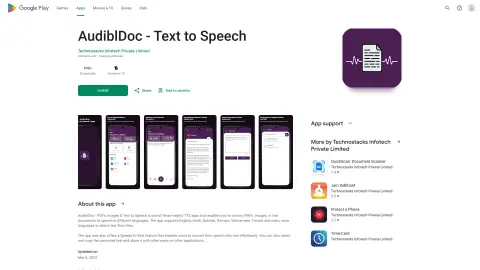
AudiblDoc converts PDF files, images, and text into audio, and vice versa – it supports multiple languages in this process.
Introduction
AudiblDoc converts PDFs, images, and text to speech and vice versa in multiple languages.
What is AudiblDoc?
AudiblDoc is an application that enables text-to-speech and speech-to-text conversion. It allows users to convert PDF files, images, or text documents into both audio and text formats, and it supports multiple languages—including English, Hindi, Spanish, German, Vietnamese, and French. The application also utilizes artificial intelligence to analyze user behavior and automatically sets the default mode to either text-to-speech or speech-to-text based on the user’s preferences.
How to use AudiblDoc?
Users can upload PDF files, images, or text documents in order to have them converted into audio. Alternatively, they can use the voice-to-text function to convert spoken words into text. This application allows users to copy and paste text, save files, and adjust audio settings as needed.
The core functions of AudiblDoc
Text-to-speech conversion
Speech-to-text conversion
Multilingual support
AI-based default mode selection
Supports PDF, image, and text documents.
Related
Dropgala
AI-based screenshot management and sharing platform with advanced organization and security features.
Argus
Neuron Q provides artificial intelligence solutions, including gun detection systems for enhanced safety.
Hana
An AI-powered tool designed to enhance team productivity and automate work processes, Google Chat Assistant offers valuable support in this regard.
hahaOCR
Extract text from the image; press the ESC key to exit.
Savey
Savey searches for the cheapest suppliers in order to find the lowest price for the product.
nicolab.com
StrokeViewer is an application that helps doctors share important patient information instantly.