AI TOOL / #09139
CAPTCHA Solver: auto hCAPTCHA reCAPTCHA freely
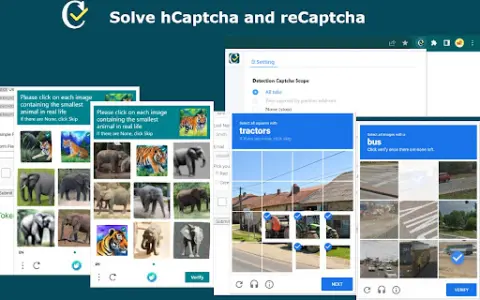
Chrome extension that automatically solves hCaptcha and reCAPTCHA challenges.
Introduction
Chrome extension to automatically solve hCaptcha and reCAPTCHA challenges.
What is a CAPTCHA Solver AI Chrome extension/plugin?
The CAPTCHA cracking extension is a Chrome add-on that utilizes deep learning to automatically handle challenges posed by hCaptcha and reCAPTCHA. Its purpose is to eliminate the distractions caused by CAPTCHAs, thereby providing a seamless browsing experience. It is compatible with web scraping plugins such as the NoCoding data scraper Chrome extension.
How to use the CAPTCHA Solver AI Chrome extension/plug-in?
Install the CAPTCHA cracking extension. On the pop-up window, select the current tab to start automatic detection; or choose “None” to stop the automatic process and resolve the CAPTCHA manually.
The core functionality of the CAPTCHA Solver AI Chrome extension/plug-in
Automatically solves hCaptcha and reCAPTCHA challenges.
Integration with web scraping plugins
Supports background tagging.
Try to skip those challenges that have failed multiple times.
Related
Claudet: Claude.ai Voice Input
An artificial intelligence assistant used for text summarization, answering questions, and content generation.
Luminous
An efficient new tab page with an AI assistant and search engine selection.
Voice Inbox
The Voice inbox captures ideas through voice recognition and transcribes them into a diary.
rev.ai
Precise speech-to-text API and speech recognition service supporting multiple features and languages.
jaxcore-browser-extension
A web browser extension designed for voice recognition and motion control within web applications.
SpeechPulse
A speech recognition and translation software that enables real-time input, transcription, and subtitle generation.