AI TOOL / #07177
Chrome Virtual Camera
Use the clock, video file, and background masking options in place of getUserMedia().
Introduction
Replaces getUserMedia() with clock, video file, and background masking options.
What is the getUserMedia() Replacement AI Chrome extension/plug-in?
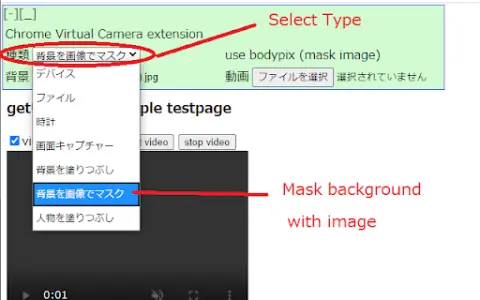
This tool replaces the standard getUserMedia() function, enabling the use of clocks, video files, as well as the tfjs/body-pix technology as background masks for video sources.
How to use the getUserMedia() Replacement AI Chrome extension/plug-in?
This tool intercepts calls to the getUserMedia() function and provides alternative video sources, such as clocks, video files, or video streams with masks using tfjs/body-pix. The specific implementation and configuration details depend on the particular library or technology being used.
The core functionality of the getUserMedia() replacement AI Chrome extension/plug-in
Replace the getUserMedia() function
Provide a clock as the video source.
Provide a video file as the source material for the video.
Implement background masking using tfjs/body-pix.
Related
HideMyAI
Humanized tools for AI content generation help prevent the text produced by AI from being detected by AI detectors.
BypassGPT AI
An AI-friendly tool designed to rewrite text generated by AI systems and help bypass those systems’ detection mechanisms.
Vivas.AI
Vivas.AI provides citizen developers with AI/ML models built on low-code platforms.
XenonStack
XenonStack: An AI-first organization building data and AI platforms and cloud-native applications.
Sparrow Studio
A full-stack software development studio dedicated to artificial intelligence, cloud, and networking solutions.
Niya AI
Niya AI provides professional support in the field of AI and helps connect companies with AI developers.