AI TOOL / #06677
Voice Control for Netflix
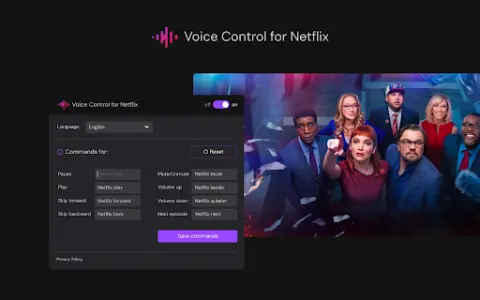
Use voice control to operate Netflix: play, pause, fast-forward, and more.
Introduction
Control Netflix with your voice: play, pause, fast-forward, and more.
What is the Voice Control for Netflix AI Chrome extension/plugin?
Netflix’s voice control allows users to manage their Netflix experience via voice commands. This includes tasks such as playing, pausing, and advancing videos, all without the need to use a remote control or touch the screen.
How to use the Voice Control feature for the Netflix AI Chrome extension/plug-in?
Simply enable Netflix’s voice control, and then use voice commands to control playback, navigate the menu, and search for content.
The core functionality of the Netflix AI Chrome extension/plugin for voice control
Use voice control to operate Netflix playback functions (play, pause, fast forward, rewind).
Hands-free navigation, Netflix menu
Voice search for films and TV shows
Related
EngaugeAI | Test Your Ad Creatives
An artificial intelligence-based platform designed to test and optimize marketing ideas, while providing real-time insights into the target audience.
Ezra Ads
The AI platform quickly generates high-quality Meta advertising static creatives.
Adinspiration
Meta advertising templates designed to increase conversion rates.
MizanMe
An AI-powered, personalized music app that recommends songs based on your mood and goals.
Playlist Genius
PlaylistGeniusAI uses ChatGPT to generate playlists based on user descriptions.
MusicAI: Top AI Music Generator
An AI music generator designed to create unique and customized music from text.