AI TOOL / #06463
VoiceInk
An open-source speech-to-text app for macOS that provides local AI to protect privacy and support offline use.
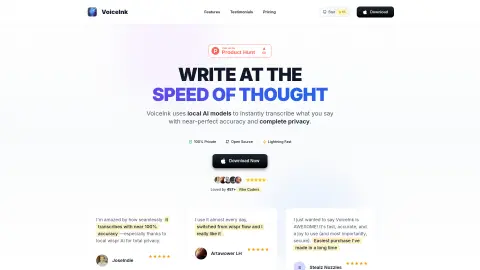
Introduction
Opensource voice-to-text macOS app with local AI for privacy and offline use.
What is VoiceInk?
VoiceInk is an open-source macOS speech-to-text app that transcribes what you say into text almost instantly, with near-perfect accuracy. It uses local AI models for speech transcription, supports offline functionality, and ensures data privacy. All data is stored locally, with optional AI enhancements.
How do I use VoiceInk?
Download and install VoiceInk on your macOS device. Configure a global shortcut to start and stop recording. Speak into your microphone, and VoiceInk will transcribe your speech into text. You can use the transcribed text in any application.
Core Features of VoiceInk
Accurate transcription
Privacy first
Global shortcut
personal dictionary
Smart Replacement
context-aware
AI voice assistant
Smart Mode
Custom template
Power Mode
Auto-detect
Related
Insight Video IA
A tool that utilizes artificial intelligence to reformat videos into various educational content formats.
Transcripti
Transcripti helps copy YouTube transcripts and send them to tools like ChatGPT.
Toolsaday
AI-based platform for easy marketing content creation with a variety of AI-driven tools.
AI Buffet – AI Article & Graphics Generator
An AI-powered platform for content creation and monetization, supporting a wide range of content types.
AI Voice Generator Bot
A Telegram bot for converting text into natural-sounding speech.
Memozora
A free online tool for creating flashcards, which uses spaced repetition methodology and offers dictionary functionality as well as text-to-speech conversion.