AI TOOL / #06413
Audiotext AI
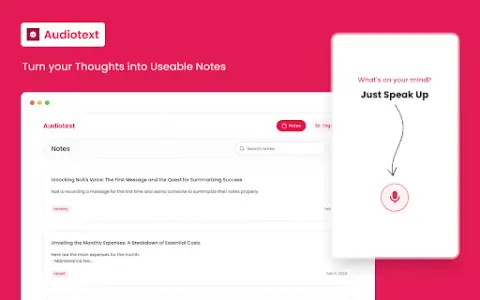
Audiotext AI converts audio to text, removes filler words, and offers multiple transcription styles.
Introduction
Audiotext AI converts audio to text, removing filler words and offering various transcription styles.
What is the Audiotext AI AI Chrome extension/plugin?
Audiotext AI can convert audio into accurate text by removing unnecessary words and generating concise summaries. It allows users to transcribe speech into text, offering multiple styles such as short summaries, bullet points, passive voice, and active voice.
How do I use the Audiotext AI Chrome extension/plugin?
1. Speak naturally, including filler words. 2. Choose a transcription style (short summary, long summary, bullet points, etc.). 3. Click "Transcribe."
Core features of the Audiotext AI Chrome extension/plugin
Audio to text
Remove unnecessary words.
Concise Summary
Rewriting with AI for style adjustment
Shareable note link
Related
Binaural Beats Factory
An AI-based online audio generator for personalized binaural beats and subliminal tracks.
VocalRemover.co
An artificial intelligence-based de-noising and audio segmentation tool, used for music mixing and karaoke production.
Voices AI: Change your Voice
An AI voice generator that converts text into audio, offering voices modeled after those of celebrities and professionals.
Guest Glance
An AI tool and platform designed for podcast producers, aimed at helping them find guests, conduct research, edit audio/video content, and manage interviews.
SFX Engine
AI sound effect generator with customizable and royalty-free sound effects.
audioshake.ai
AudioShake uses artificial intelligence to split audio recordings into tracks for a variety of interactive and customizable uses.