AI TOOL / #06361
Opusense
An AI-powered on-site inspection and reporting tool that streamlines workflows.
Introduction
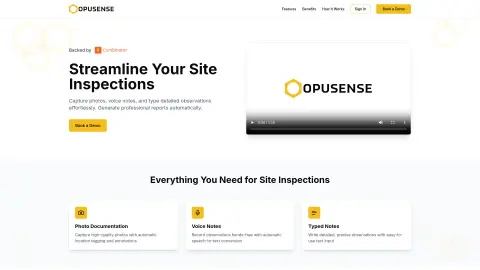
AI-powered tool for site inspection and reporting, streamlining workflow.
What is Opusense?
Opusense is an AI-powered tool designed to convert field notes and photos—whether typed or recorded via voice—into fully formatted field inspection reports. Designed for engineers, inspectors, and consultants, it eliminates the most tedious and time-consuming parts of the workflow associated with field inspections and reporting for construction and engineering teams.
How do I use Opusense?
Opusense simplifies the reporting process in four steps:
1. **Submit Your Template**: Users submit existing report templates so that their structure, format, and style can be analyzed.
2. **AI Learning**: Unique characteristics of AI research templates, including writing styles and formatting preferences.
3. **Enter Your Data**: Users provide raw data and key points, and the AI organizes and formats them based on the template.
4. **Review and Export**: Users review the generated report, make final adjustments, and export it to their preferred format, such as .docx.
Key Features of Opusense
AI-Based Report Generation
Photo documentation, automatic geotagging, and annotations
Voice Notes, Automatically Converted to Text
Detailed Observation Log
Customizable report formats (including logos, fonts, section headings, and wording)
Direct .docx Export Compatibility
Brand-consistent reporting that maintains a unique voice and identity
Language Style Mimicry (Artificial intelligence adapts based on the user's communication style)
Related
Jeda.ai – Ai Workspace Canvas
An integrated generative AI workspace designed for visual content creation and strategic analysis.
2 Minute Warning – Hudl Extension
A video analysis company that provides services for dissecting and analyzing the footage of sports team competitions.
Feedback Navigator
The AI platform extracts insights from user feedback data and generates dashboards accordingly.
Sushidata
An AI-powered platform for analyzing customer conversations and identifying business opportunities.
Sheet analyzer
An extension that uses AI to analyze data in Google Sheets.
Branalyzer Brands Instant Analyzer
A Chrome extension designed for real-time analysis of brand traffic and key performance indicators.