AI TOOL / #06308
YouTube Transcript Generator
Extract and display the subtitles of YouTube videos, making it easy to access and review them.
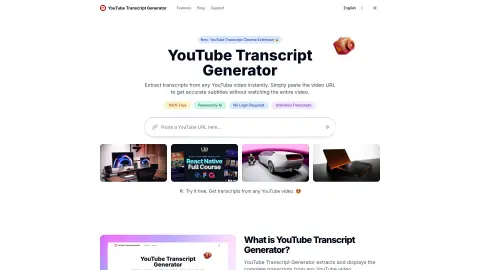
Introduction
Extracts and displays YouTube video transcripts for easy access and review.
What is the YouTube Transcript Generator?
The YouTube Subtitle Generator extracts and displays the complete transcript of any YouTube video. It allows you to quickly access, read, and save the content of a video without having to watch the entire video itself – making it much easier for you to find specific information or review the content at your own pace.
How to use the YouTube Transcript Generator?
1. Copy the URL of the YouTube video. 2. Enter the URL in the input box and click the “Transcript” button. 3. View, search for, or download the transcript in the format of your choice.
The core functions of the YouTube Transcript Generator
Extracting transcripts from any YouTube video
Supports multiple download formats (TXT, DOCX, VTT, SRT).
Provide searchable text transcripts.
Applicable to any publicly available YouTube video.
Provides unlimited access, with no daily restrictions.
No login required
Related
Dimestore
Real-time enterprise store management software for managing sales, inventory, employees, and more.
SidekickSpace
SidekickSpace utilizes client-side masking technologies to ensure that sensitive data is not accessed by artificial intelligence systems.
Your AI-Powered Movie Companion
An AI-powered movie assistant that provides plot, cast information, facts and movie recommendations.
HeyLuna.ai
An AI virtual assistant with long-term memory, designed for use in daily tasks and application integration.
Gene
Gene is a free AI assistant extension for summarization, translation, and other tasks.
TrailMate
An offline AI assistant for outdoor safety and guidance.