AI TOOL / #05876
Do Browser
An AI-powered Chrome extension that enables control of the browser via natural language commands.
Introduction
AI-powered Chrome extension for browser control using natural language.
What is a Do Browser AI Chrome extension/plug-in?
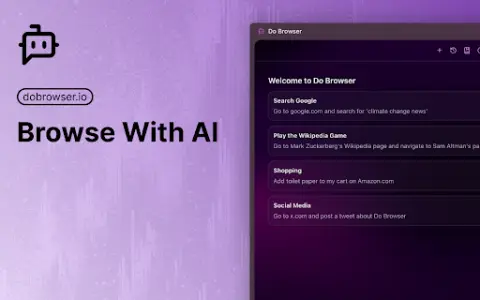
Do Browser is an AI-powered extension for Chrome that allows users to control their browser using natural language commands. It provides quick access through the address bar or keyboard shortcuts and also supports voice commands. Its purpose is to simplify tasks such as filling out forms, shopping, and navigating complex web interfaces.
How to use the Do Browser AI Chrome extension/plug-in?
Enter “do” in the address bar or use the shortcut keys Cmd+K/Ctrl+K to activate the Do Browser. Then, use natural language commands to instruct the extension to perform tasks within the browser.
What are the core functions of browser AI Chrome extensions/plugs?
Natural Language Browser Control
Access via the address bar and keyboard shortcuts
Voice command support available
Related
Ringly.io
An artificial intelligence-powered phone agent platform that automates customer service in the field of e-commerce.
qwiet.ai
Qwiet AI provides AI-driven application security solutions that ensure faster, more accurate code protection.
Tiledesk
An AI-powered platform designed to automate work processes and provide customer service through multiple channels.
Apply Hero AI
AI-powered tools that automate the process of submitting job applications, featuring the ability to create customized resumes and cover letters.
Mazaal AI
Mazaal AI: A code-free platform designed for intelligent automation and workflow management, equipped with AI agent capabilities.
Runbear
Code-free AI agents, suitable for teams using Slack, Teams, and HubSpot.