AI TOOL / #02603
DeckAssistant
Stream Deck plug-in for AI assistant, supports custom prompts and chat management.
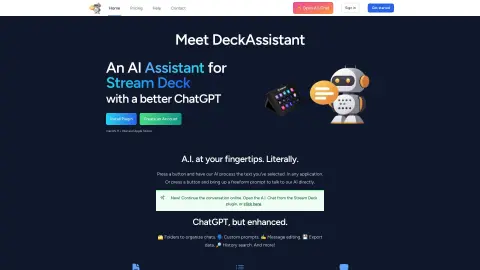
Introduction
Stream Deck plugin for AI assistance with custom prompts and chat management.
What is DeckAssistant?
DeckAssistant is a Stream Deck plug-in that puts artificial intelligence at your fingertips. It allows users to work with selected text in any application, use any prompt, or talk directly to the AI using free-form prompts. It provides a better ChatGPT interface, with functions such as folder organization of chats, customized prompts, message editing, data export, historical search, collection, screenshot export, prompt library, chart sharing, Google integration and image generation.
How to use DeckAssistant?
To use DeckAssistant, create an account, copy the API key from the dashboard, install the Stream Deck plugin, add a button, paste the API key, and press the button to start using the AI. You can select text in any app and process it with the press of a button, or use free-form prompts to ask the AI questions.
DeckAssistant Core Features
AI processing of selected text
Freeform AI prompts
Customizable prompts
Folders to organize chats
Message editor
Data export
Historical searches
collect
Screenshot export
prompt library
Chart sharing
Google integration
image generation
Related
China Judgments Online
By entering a person’s name or the name of a company, you can check whether that individual has been sued or sentenced! Of course, you can also find out whether they have filed lawsuits against others. Whether it’s for getting married, looking for a job, or discussing potential partnerships, you might want to give this tool a try. The biggest downside of this website is its relatively slow loading speed; it takes some time to load when using it.
Everything can be compared.
“Versus: Anything Can Be Compared” is a global comparison platform that offers fair and user-friendly comparisons across a wide range of categories, from technology products to cities. By providing accurate and objective information, as well as structured data that is easy to visualize, the platform helps users simplify their decision-making process. In short, you can use Vers to compare just about anything.
Tencent Hubble Analysis System
Tencent Hubble Analysis System: The Hubble Analysis System is a security assistance platform independently developed by the "Tencent Anti-Virus Laboratory". Users can simply upload samples and obtain information such as their basic details, potential behaviors, and security levels, thereby enabling them to more easily identify malicious files.
Zhiying
Zhiying Zhiying is a free online editing platform produced by Tencent that integrates material collection, video editing, post-packaging, rendering, exporting and publishing. It can provide users with one-stop video editing and production services from end to end. Main functions include video editing, text dubbing, digital human reporting, and subtitles
Sudoku
Sudoku: This website offers the opportunity to play the popular puzzle game of Sudoku for free online! It is compatible with various platforms, including web browsers, iPad, iPhone, and Android devices. There are both classic and “killer” mode versions available. Sudoku is one of the most popular puzzle games in history. The objective of the Sudoku game is…
NetEase External Workstation
NetEase Jianwai Workbench is an intelligent transcription and translation service developed by NetEase. It includes features such as video subtitling, audio transcription and translation, simultaneous interpretation for meetings, document translation, subtitile file translation, and image recognition-based translation services. All you need to do is upload the files that require transcription or translation to the NetEase Jianwai platform.