AI TOOL / #02536
GPToDo
Convert the responses from Chat GPT into calendar tasks that support drag-and-drop functionality.
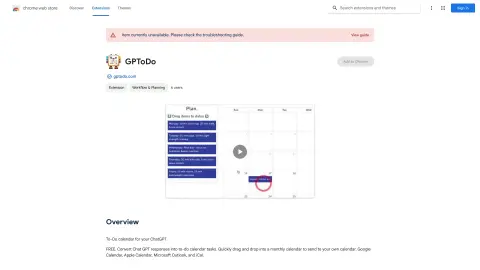
Introduction
Converts Chat GPT responses into calendar tasks with drag-and-drop functionality.
What is the Convert Chat GPT to-Do Calendar Tasks AI Chrome extension/plug-in?
This tool enables users to convert Chat GPT’s responses into tasks for their to-do lists and calendars. It offers a user-friendly drag-and-drop interface that allows users to add these tasks directly to their monthly calendars. Once created, these calendar entries can be shared with various calendar applications such as Google Calendar, Apple Calendar, Microsoft Outlook, and iCal.
How to use the Convert Chat GPT to-do Calendar Tasks AI Chrome extension/plug-in?
Use Chat GPT to generate the task. Then, copy and paste the response into this tool. Drag the task onto the desired date in the monthly calendar. Finally, export the calendar to your preferred application (Google Calendar, Apple Calendar, Microsoft Outlook, or iCal).
The core functionality of the Chat GPT-to-do-list conversion extension/plug-in for Chrome.
Convert Chat GPT’s responses into calendar tasks.
With a convenient drag-and-drop interface, scheduling tasks has never been easier.
Supports a variety of calendar applications, including Google Calendar, Apple Calendar, Microsoft Outlook, and iCal.
Related
Edge add-ons
Edge browser extensions
Gold mining
Developer community
TapTap
Mobile game community
Book Dash
If you want to find some English picture books for your children, but don’t want to buy a whole set of books right away, you can check out Book Dash first. Book Dash is a non-profit organization based in South Africa that invites writers, illustrators, designers and other professionals to volunteer to create works with African life and cultural characteristics.
Kiwix
An artifact that puts Wikipedia in your pocket!! Kiwix is an open source tool specially used to browse Wikipedia offline. It downloads Wikipedia, e-books, teaching materials and other content locally in advance, and then you can search and read like ordinary web pages even if there is no network. K
Crackling PPT
Kapian is an AI-powered online PPT creation tool that supports one-click generation using AI, import of existing documents for presentation creation, and the use of uploaded templates to produce PPTs. It comes equipped with over 100,000 professional-grade template resources, helping users quickly create high-quality PPTs!
The process of creating a PPT using Kapian is very simple: all you need to do is…