AI TOOL / #10085
DALL·E Cli
A command-line tool that allows users to generate, edit, and filter images using the DALL-E 2 API.
Introduction
Command-line tool to generate, edit, and filter images using the DALL-E 2 API.
What is DalleCli?
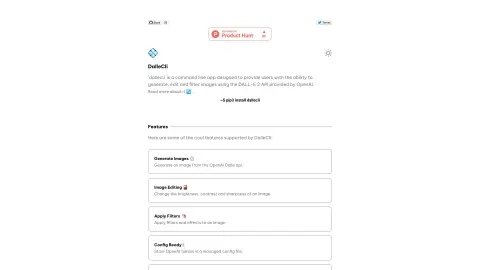
DalleCli is a powerful and easy-to-use command-line tool that utilizes the OpenAI DALL-E API to generate, edit, and filter images. It allows users to create stunning images directly from the command line, apply various effects and filters, and enhance their creativity. DalleCli provides the capability to use the DALL-E 2 API offered by OpenAI for image generation, editing, and filtering purposes.
How to use DalleCli?
Use `pip3 install dallecli` to install DalleCli. Then, use commands such as `generate`, `edit`, and `filter` to create and modify images from the command line, by utilizing the OpenAI token stored in the management configuration file.
The core functions of DalleCli
Generate images using the OpenAI Dalle API.
Adjust the brightness, contrast, and clarity of an image.
Apply filters and special effects to the image.
Store the OpenAI token in the management configuration file.
Related
MusicStar.AI
An AI music generator that provides copyright-free music, including beats, lyrics, and vocal performances.
AiRepeater
An AI-based shadow learning tool for language learning and pronunciation improvement.
AdoptSequence Video Capture
An AI-powered multilingual video communication platform for global teams.
noteperformer.com
Realistic playback engine for Sibelius, Dorico and Finale with orchestral sounds.
CozyEQ
CozyEQ enhances YouTube audio by adjusting frequency and volume in real time.
Wondera
AI-based music application for co-creating, adapting and sharing music with AI agents.